AI in CAD drafting helps automate repetitive tasks, suggest design elements, detect errors, and flag clashes between systems, making the drafting process faster and more accurate.
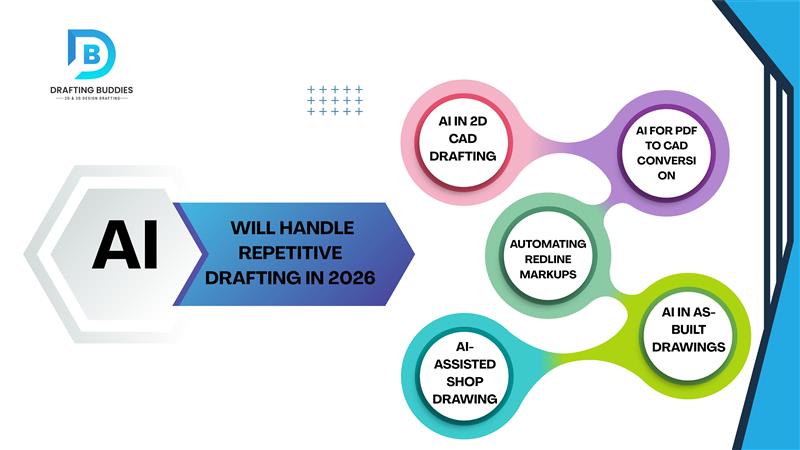
5 Drafting Tasks AI Will Automate by 2026
By 2026, AI will revolutionize drafting by automating repetitive tasks in 2D Drafting Services, AutoCAD drafting services, and architectural drafting services. It can generate layouts, apply layers, maintain standards, convert PDFs to CAD, automate redline markups, and produce shop and construction drawings efficiently. AI also supports as-built drawings and 3D modeling services, speeding up base models and improving documentation. This allows drafting professionals to focus on design quality, coordination, and creative problem-solving.
The drafting industry is evolving quickly. By 2026, artificial intelligence (AI) will take over many repetitive drafting tasks that currently require hours of manual work. From 2D drafting services to CAD drafting, AI is improving speed, accuracy, and consistency across projects.
For companies offering architectural drafting services and AutoCAD drafting services, this change is not a threat but an opportunity to focus on design quality, coordination, and client requirements.
Here are five repetitive drafting tasks AI can handle by 2026 and how they will shape the future of drafting workflows.
1. AI in 2D CAD Drafting and AutoCAD Drawings
Creating repetitive layouts, annotations, and standard details is one of the most time-consuming parts of 2D drafting services. AI‑powered tools can now generate AutoCAD 2D drawings automatically using predefined rules and templates.
- Create basic CAD drawings automatically
- Apply layers, line weights, and dimensions
- Follow drafting standards consistently
This reduces manual effort and allows drafters to focus on accuracy and design intent instead of repetitive tasks.
2. AI for PDF to CAD Conversion
Converting scanned drawings into editable CAD files is repetitive and prone to errors. AI‑based PDF to CAD conversion services can now recognize walls, dimensions, text, and symbols with high accuracy.
- Convert PDFs to clean CAD files efficiently
- Reduce redraw time significantly
- Improve consistency in Architectural CAD Drafting Services
This is particularly helpful for renovation projects or legacy drawings where original CAD files are unavailable.
3. Automating Redline Markups and Draft Revisions
Handling redline markups is a repetitive task in architectural drafting services. AI tools can interpret markups from PDFs, images, or comments and apply changes automatically.
- Detect redline notes
- Update dimensions and layouts
- Track revision history
This makes AutoCAD drafting services faster, especially for large residential or commercial projects.
4. AI‑Assisted Shop Drawing and Construction Drawings
Creating shop drawing services often involves repeating similar components, details, and annotations across multiple sheets. AI can generate standardized architectural construction drawings based on design inputs and rules.
- Standard shop drawings
- Building layouts and details
- Faster production of building drawings
This improves turnaround time while maintaining quality and consistency.
5. AI in As‑Built Drawings and Documentation
Preparing as-built floor plans and As-Built Drawings is repetitive but critical. AI can compare original drawings with site changes and update CAD files automatically.
- Faster documentation
- Improved accuracy
- Better coordination for future renovations
This is especially valuable for electrical as‑built drawings and mechanical documentation.
AI Support in 3D Modeling and Visualization
While AI mainly handles repetitive tasks, it also aids 3D modeling services and architectural visualization services by automating base models and references.
- 3D CAD base models
- 3D modeling and rendering services
- Faster setup for architectural 3D modeling services
Design expertise is still essential, but AI reduces repetitive groundwork and speeds up the overall workflow.
What This Means for Drafting Services Companies
AI will not replace professionals offering drafting services. Instead, it will:
- Reduce manual drafting time
- Improve accuracy and consistency
- Allow teams to focus on problem‑solving and design quality
Companies that combine human expertise with AI tools will lead the future of CAD drafting, architectural drafting services, and AutoCAD drafting services.
Final Thoughts
By 2026, AI will handle many repetitive drafting tasks, from 2D drafting services to PDF to CAD conversion services and redline markup services. Drafting professionals’ roles will evolve toward quality control, coordination, and creative problem‑solving.
Integrating AI in drafting workflows is not just about speed; it’s about creating more accurate, consistent, and high‑quality designs.
Recent Blogs
FAQs:
You Ask, We Draft