Traditional drafting produces static 2D drawings such as floor plans, sections, and elevations using tools like AutoCAD. BIM creates intelligent 3D models where every element contains data like dimensions, materials, cost, and schedule, enabling full coordination across disciplines.
BIM vs Traditional Drafting: Which One Improves Coordination the Most?
This blog compares BIM and traditional drafting in construction, highlighting how 2D drafting often causes coordination errors, delays, and costly rework due to isolated workflows. In contrast, BIM uses intelligent 3D models with real-time collaboration and automated clash detection to improve accuracy and efficiency.
It explains how BIM reduces errors, speeds up project delivery, lowers costs, and improves coordination across architecture, structure, and MEP teams using tools like Revit and Navisworks. The blog also shows real-world applications and emphasizes that BIM is becoming the global standard for modern construction due to its higher efficiency and reliability.
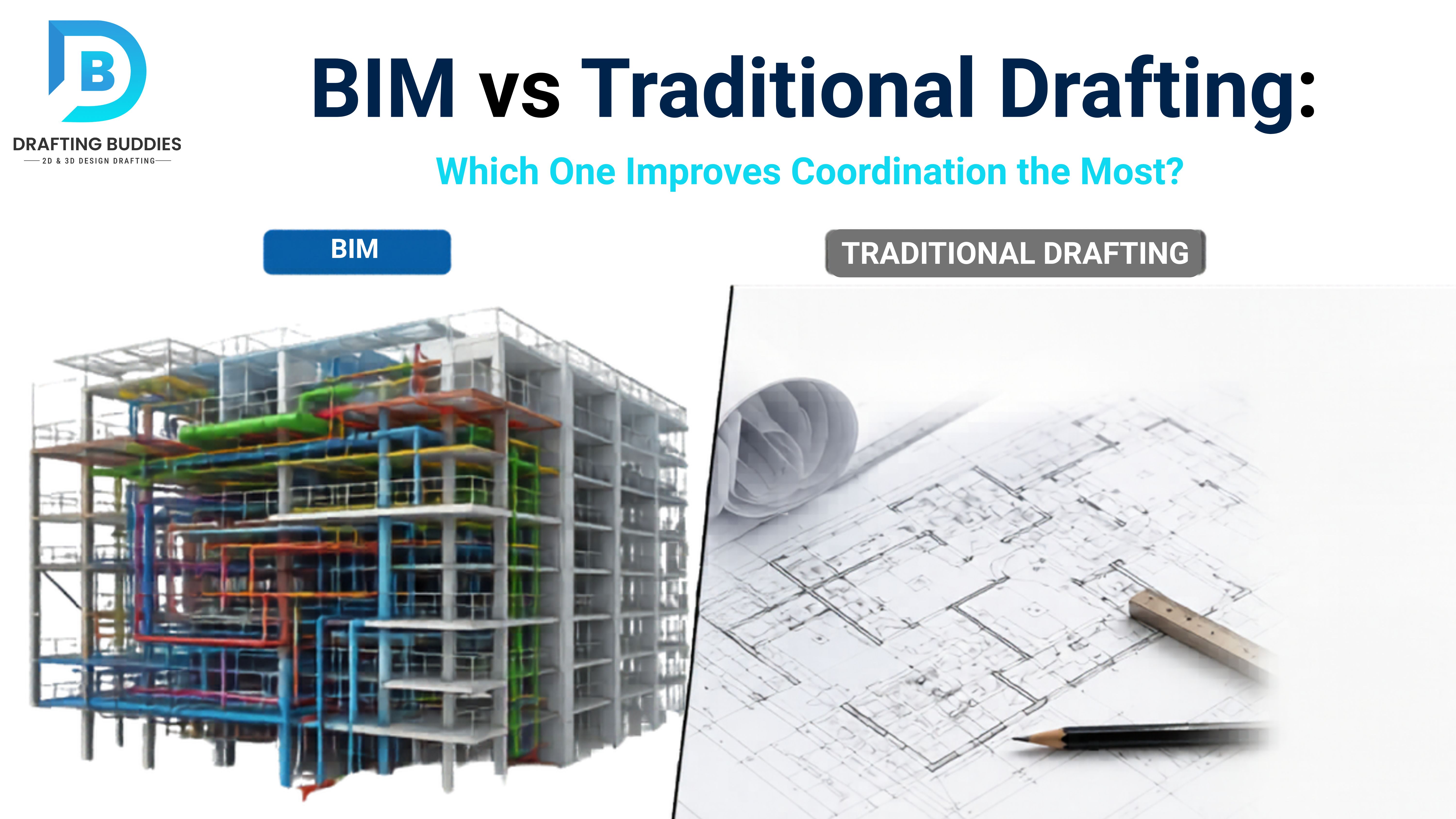
BIM vs Traditional Drafting:
Which One Improves Coordination the Most?
From 2D drawings to intelligent 3D models - the construction industry is changing fast. Discover why BIM coordination is replacing traditional drafting and how it eliminates costly errors before they happen on site.
The Real Problem With Traditional Drafting
Every year, construction projects lose billions of dollars due to coordination errors, design conflicts, and rework - most of which happen because teams are working from static 2D drawings that don't talk to each other.
A plumbing pipe clashes with a structural beam. An HVAC duct conflicts with a ceiling grid. Nobody notices until workers are already on site - and by then, it's too late to fix cheaply.
BIM (Building Information Modeling) was built to solve exactly this problem. But is it really better? Let's break it down - clearly and completely.
In this guide, we compare BIM vs Traditional Drafting across every major dimension: workflow, coordination method, clash detection, cost impact, and real-world use cases. Whether you're an architect, contractor, or project owner, this will give you a clear picture of which method works better - and why the AEC industry is shifting.
BIM vs DraftingBIM CoordinationClash DetectionConstruction ErrorsShop DrawingsVDC ServicesCoordination Drawings
BIM vs Traditional Drafting: Full Comparison
Here is a detailed side-by-side comparison of both methods across the most important factors in construction coordination:
| Factor | Traditional Drafting (2D CAD) | BIM (Building Information Modeling) |
|---|---|---|
| Drawing Type | 2D flat plans, sections, elevations | 3D intelligent models with data |
| Coordination Method | Manual overlay of paper/PDF drawings | Federated model with real-time clash detection |
| Clash Detection | Visual check only - mostly missed until on-site | Automated via Navisworks, BIM 360, Solibri |
| Error Detection Speed | Slow - discovered during or after construction | Fast - discovered during design phase |
| Rework Cost | Very High (15–25% of total project cost) | Significantly Reduced (up to 40% savings) |
| Collaboration | Siloed - teams work separately | Real-time multi-discipline coordination |
| Shop Drawings | Manual drafting, high revision cycles | Extracted directly from model, fewer revisions |
| Quantity Takeoff | Manual estimation - prone to errors | Automated and accurate from model data |
| Design Changes | Update every drawing manually | Change once, model updates everywhere |
| Project Visualization | 2D only - hard to understand | Full 3D visualization + VR walkthroughs |
| Delivery Timeline | Longer - more manual processes | Faster by 10–30% on average |
| Software Used | AutoCAD, MicroStation | Revit, Tekla, Navisworks, BIM 360 |
| Data Storage | Static files with no intelligence | Data-rich model (geometry + materials + specs) |
| Long-Term Use | Limited - archive only | Used for FM, operations, digital twin |
| Learning Curve | Lower - familiar to most teams | Higher - requires training, but fast ROI |
Step-by-Step: How Each Workflow Works
Understanding how each method actually works in practice is key to understanding the coordination gap. Here is a side-by-side breakdown of both workflows:
Traditional Drafting Workflow
- 1
Architect draws 2D plans in AutoCAD - floor plans, sections, elevations
- 2
Structural engineer creates separate 2D drawings independently
- 3
MEP consultants draw systems on their own sheets with no link to others
- 4
Coordination by overlaying PDFs or printing - done manually by coordinators
- 5
Conflicts found late - often only discovered on the construction site
- 6
Rework and delays - redesign, re-issue drawings, restart work
BIM Coordination Workflow
- 1
3D model created in Revit or Tekla - all disciplines from day one
- 2
Federated model assembled - structural, architectural, MEP combined in Navisworks
- 3
Automated clash detection run - software finds every conflict instantly
- 4
Clash reports shared with all teams - conflicts resolved in design phase
- 5
Coordination drawings and shop drawings extracted directly from model
- 6
Construction proceeds with zero surprises - all conflicts already resolved
Key Benefits of BIM Over Traditional Drafting
These are the reasons why BIM coordination services are now standard on most large commercial, industrial, and infrastructure projects worldwide:
Clash Detection
Automatically finds conflicts between MEP, structure, and architecture before construction begins - saving massive rework costs.
Time Savings
BIM projects are completed 10-30% faster on average due to fewer change orders and better planning upfront.
Cost Reduction
Reduces rework cost by up to 40% and improves quantity takeoff accuracy, leading to better budget control.
Real-Time Collaboration
All disciplines - architecture, structure, MEP - work on a shared model simultaneously via BIM 360 or Revit Cloud.
Accuracy & Precision
Model-based shop drawings are far more accurate than hand-drafted ones, reducing on-site measurement errors.
Better Coordination
Full 3D coordination drawings make it easy to sequence work, plan site logistics, and communicate with contractors.
Prefabrication Ready
BIM models support off-site prefabrication, reducing on-site labor and speeding up delivery timelines.
Change Management
Design changes in a BIM model update automatically across all views and sheets - no manual redrawing required.
40%
Reduction in rework costs with BIM
30%
Faster project delivery on average
80%
Clash detection accuracy improvement
Common Problems & BIM Solutions
This is why contractors, architects, and project managers switch to BIM coordination. Each traditional drafting problem has a clear BIM solution:
Problem
Drafting errors go unnoticed in 2D - a duct drawn at the wrong level clashes with a beam, discovered only during construction.
BIM Solution
Clash detection in Navisworks identifies every conflict during design - fully resolved before breaking ground.
Problem
Design changes require updating 20+ drawings manually - high chance of inconsistency and human error.
BIM Solution
Parametric BIM model updates all views, sections, and sheets automatically when any design change is made.
Problem
Poor coordination between architect, structural engineer, and MEP leads to mismatched drawings and site conflicts.
BIM Solution
Federated BIM coordination combines all disciplines into one model - conflicts resolved in weekly coordination meetings.
Problem
Shop drawings take weeks to produce manually and go through multiple revision cycles, delaying fabrication.
BIM Solution
Model-based shop drawings are extracted directly from Revit or Tekla - accurate, fast, and ready for fabrication.
Problem
Quantity estimation done by hand from 2D drawings is error-prone and causes budget overruns.
BIM Solution
BIM 5D cost modeling extracts quantities automatically from the model - accurate bills of quantities every time.
BIM Tools & Technology Used in Coordination
The BIM ecosystem has powerful, industry-proven tools that make coordination, clash detection, and documentation dramatically more efficient:
Autodesk Revit
Primary BIM authoring tool for architectural, structural & MEP modeling
Navisworks
Federated model coordination & automated clash detection
BIM 360 / ACC
Cloud-based collaboration, issue tracking, and document management
Tekla Structures
Advanced structural steel and concrete BIM modeling
AutoCAD MEP
Mechanical, electrical and plumbing coordination drawings
Solibri
Model quality checking, clash detection, and compliance validation
Dynamo
Visual scripting for BIM automation and parametric workflows
ReCap Pro
Point cloud integration for scan-to-BIM coordination workflows
Real-Life Use Cases: BIM Coordination in Action
BIM coordination is not just theory - it is delivering measurable results across every project type in the AEC industry:
Commercial
High-Rise Office Buildings
BIM coordination resolves hundreds of MEP-structural clashes before construction. On a typical 30-story tower, this can save 3–5 months of delay and millions in rework costs.
Healthcare
Hospitals & Medical Facilities
Complex MEP systems in hospitals demand zero-error coordination. BIM allows full system modeling - including medical gas lines, HVAC clean rooms, and electrical - before a single ceiling is installed.
Industrial
Oil Refineries & Plants
Industrial facilities use Tekla and CADWorx with BIM coordination to align piping, equipment, structural steel, and electrical systems - avoiding catastrophic clashes in critical infrastructure.
Residential
Multi-Family Housing
BIM coordination in large residential developments ensures consistent unit layouts, coordinated MEP risers, and accurate prefabricated bathroom pods - speeding delivery significantly.
Infrastructure
Bridges & Transport
Civil infrastructure projects use BIM to coordinate roadworks, utilities, drainage, and structural elements - reducing conflicts in ground conditions and underground services.
Data Centers
Tech Campuses
Data centers require hyper-accurate coordination of power systems, cooling, server racks, and raised floors. BIM coordination ensures every service is clash-free before build.
Cost Savings & ROI: The Business Case for BIM
One of the strongest arguments for BIM over traditional drafting is the financial return. Here is where the money is saved:
Where Traditional Drafting Loses Money
- Rework: Studies show rework accounts for 5–25% of total construction cost on traditionally coordinated projects.
- Delays: On-site conflicts cause stoppages that cascade across all trades - costs compound daily.
- Change orders: Late design changes are 10–100x more expensive than early-phase corrections.
- Disputes: Poor documentation from 2D drawings leads to costly contractor disputes and legal claims.
Where BIM Saves Money
- Early clash resolution: A clash fixed in design costs 1x - the same clash fixed on site costs 10–100x more.
- Accurate quantities: Model-based BOQ (Bill of Quantities) reduces material waste and procurement errors.
- Faster delivery: Less rework means faster project completion and earlier revenue for owners.
- Lower insurance cost: Fewer errors mean fewer claims - insurers increasingly offer lower premiums for BIM-documented projects.
- Facilities management: The BIM model has lifetime value - used for maintenance, renovations, and space management after handover.
BIM ROI Insight
The UK government's BIM mandate found that implementing BIM Level 2 on public projects saved an average of 20% in construction costs and 30% in delivery time compared to traditional drafting-based projects.
Key Terms: BIM & Coordination Glossary
New to BIM? Here are the essential terms you need to understand:
BIM (Building Information Modeling)
A process of creating and managing a digital 3D model of a building that contains intelligent data about every element.
Clash Detection
Automated process of checking a BIM model for physical conflicts between structural, architectural, and MEP elements.
Federated Model
A combined BIM model assembled from separate discipline models (architecture + structure + MEP) for coordination review.
MEP Coordination
The process of coordinating mechanical (HVAC), electrical, and plumbing systems with each other and with the building structure.
VDC (Virtual Design & Construction)
The use of digital models and simulations to plan, design, and manage construction before physical work begins.
Shop Drawings
Detailed technical drawings produced for fabrication and installation, often extracted from BIM models for accuracy.
AEC Industry
Architecture, Engineering, and Construction - the broad industry that uses BIM and traditional drafting for building design and delivery.
IFC (Industry Foundation Classes)
An open standard file format for sharing BIM data between different software platforms without data loss.
Digital Twin
A live digital replica of a physical building, connected to real-time sensor data and used for operations and facilities management.
The Future: Is BIM Replacing Traditional Drafting?
The short answer is: yes - and it's already happening. But the full picture is more nuanced. Here is what is reshaping the AEC industry right now:
AI in BIM: Artificial intelligence is being integrated into Revit and BIM 360 to auto-detect clashes, suggest design optimizations, and generate code-compliant layouts automatically.
Digital Twins: BIM models are evolving into live digital twins - real-time replicas of buildings connected to IoT sensors, used for energy monitoring, predictive maintenance, and operations management.
OpenBIM & IFC: The push for open standards (IFC, BCF) means BIM data is becoming interoperable across all tools - reducing vendor lock-in and making global collaboration easier.
Automation & Prefabrication: BIM is now directly connected to CNC machines and robotic fabrication - the model becomes the manufacturing instruction, cutting waste and labor costs dramatically.
Global Mandates: The UK, Singapore, South Korea, UAE, and the EU now mandate BIM on public projects. This is becoming the global standard - traditional drafting is being phased out of major markets.
VR & AR on Site: Workers on site now use AR headsets (like HoloLens) to overlay BIM models onto physical spaces - making coordination issues visible in real space before anything is built.
The Verdict: BIM Wins on Coordination
Traditional drafting had its time - and for some simple projects, it still has a place. But for any project where coordination, accuracy, and cost control matter, BIM is the clear winner.
BIM eliminates the guesswork, catches errors before they become expensive, and gives every stakeholder - from architect to contractor to owner - a single source of truth.
The AEC industry is not debating whether to adopt BIM anymore. The question is: how fast can you get there?
Explore Our BIM Coordination Services →Frequently Asked Questions (FAQ)
Here are the most common questions about BIM coordination vs traditional drafting - answered clearly: